Let’s be real for a second. You’re geared up for a run, headphones in, feeling the motivation surge. You start your playlist, but then you have to figure out what to do with your phone. The armband feels clumsy, the pocket makes it bounce awkwardly, and you’re constantly worried it’s going to fall. What if you could just cut the cord entirely? This is where a Smart Watch With Music Storage becomes an absolute game-changer, turning your wrist into a self-contained fitness and entertainment hub. Have you ever wondered how freeing it would be to run, lift, or hike with nothing but your watch and your favorite tunes?
This isn’t just about convenience; it’s about reclaiming your focus. The ability to store music directly on your wrist means you can leave your phone, with all its distracting notifications, safely behind. To fully appreciate the benefits, it’s worth exploring the broader context of smart watch daily benefits vs phone, as untethering your music is just one piece of a much larger puzzle of digital wellness and streamlined living.
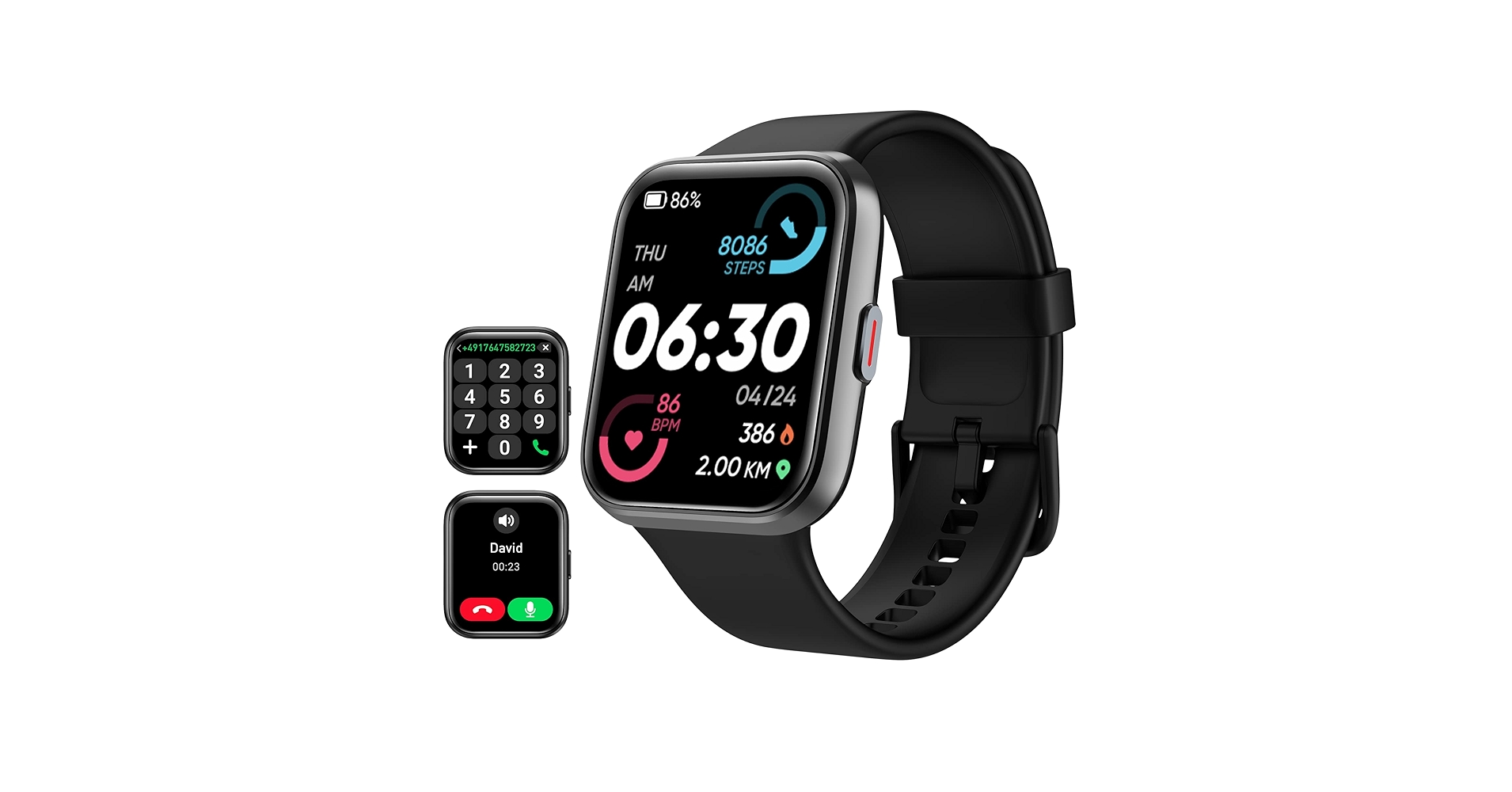
Why Ditch Your Phone for a Watch on Your Next Workout?
The primary reason is pure, unadulterated freedom. A smart watch with local music storage allows you to pair your Bluetooth headphones directly to your watch, creating a lightweight, distraction-free setup. This means no more bouncing phones, tangled wires, or cumbersome armbands. It’s just you, your metrics, and your power-up playlist.
Beyond the physical freedom, there’s a mental benefit. Leaving your phone in the locker or at home disconnects you from the constant stream of emails, texts, and social media alerts. This allows for a more mindful, focused workout where you can truly be present in the moment. It transforms your exercise time from a connected chore into a genuine escape.
The Tech Behind the Magic: How Does It Even Work?
It might seem like a bit of a magic trick, but the technology behind a smart watch with music storage is quite straightforward. Essentially, the watch has a small amount of built-in flash memory—similar to a tiny solid-state drive (SSD)—dedicated to storing files, including your music tracks.
Onboard Storage vs. Streaming Apps
There are generally two ways music gets onto your watch:
- Direct File Transfer: For music you own (like MP3 files), you typically use a companion app on your computer or phone to sync the files over to your watch’s internal storage. It’s a bit old-school, but it’s reliable and doesn’t require a subscription.
- Offline Playlist Syncing: This is the more popular method today. Services like Spotify, Deezer, and Amazon Music allow premium subscribers to download playlists and albums directly to their watch for offline playback. You just select the playlists you want in the service’s watch app, and they’ll download over Wi-Fi.
Connecting Your Headphones: The Bluetooth Handshake
Once the music is on your watch, it uses a standard Bluetooth connection to stream the audio to your wireless headphones or earbuds. The pairing process is identical to pairing headphones with your phone. You put your headphones in pairing mode, find them in your watch’s Bluetooth settings, and connect. From then on, they should connect automatically whenever they’re both on and in range.
What to Look For in a Smart Watch with Music Storage
So, you’re sold on the idea. But what separates a great musical smartwatch from a mediocre one? Here are the key factors to consider.
- Storage Capacity: This is the big one. Storage is typically measured in gigabytes (GB). A watch with 4GB of storage might hold a few hundred songs, while one with 32GB can hold thousands. Think about how much music you need for your longest workouts. For most people, 8GB is a comfortable sweet spot.
- Streaming Service Support: If you’re a die-hard Spotify user, make sure the watch you’re eyeing has a robust, native Spotify app with offline download capabilities. Not all watches support all services, so do your homework.
- Battery Life with Music Playback: Playing music, especially when combined with GPS tracking during a run, is one of the most battery-intensive tasks for a smartwatch. Look for real-world reviews that specifically test battery drain during this kind of use. A watch that lasts for days in standby might only last 5-6 hours with continuous GPS and music.
- Ease of Use: How easy is it to transfer music or manage playlists? The interface should be intuitive, both on the watch and in the companion phone app. You don’t want to spend 30 minutes fighting with software before every workout.
- Bluetooth Connectivity: A stable Bluetooth connection is non-negotiable. A watch with a weak signal will result in stuttering, dropout-plagued audio, which is enough to ruin any workout vibe.
|
Our Picks for the Best Smart Watch in 2026
As an Amazon Associate, we earn from qualifying purchases.
|
||
| Num | Product | Action |
|---|---|---|
| 1 | Samsung Galaxy Watch 4 40mm Bluetooth Smartwatch with ECG Heart Rate Monitor, Tracker for Health, Fitness, Running, Sleep Tracking, GPS Fall Detection, US Version, SM-R860NZDAXAA, Pink Gold |

|
| 2 | SAMSUNG Galaxy Watch 5 Pro 45mm Bluetooth Smartwatch w/Body, Health, Fitness and Sleep Tracker, Black (Renewed) |
|
| 3 | Amazfit Bip 6 Smart Watch 46mm, 14 Day Battery, 1.97\" AMOLED Display, GPS & Free Maps, AI, Bluetooth Call & Text, Health, Fitness & Sleep Tracker, 140+ Workout Modes, 5 ATM Water-Resistance, Black |
|
| 4 | Garmin Forerunner 165, Running Smartwatch, Colorful AMOLED Display, Training Metrics and Recovery Insights, Black |
|
| 5 | Fitbit Inspire 3 Health &-Fitness-Tracker with Stress Management, Workout Intensity, Sleep Tracking, 24/7 Heart Rate and more, Midnight Zen/Black One Size (S & L Bands Included) |
|
| 6 | Garmin Instinct 2X Solar - Tactical Edition, Rugged GPS Smartwatch, Built-in Flashlight, Ballistics Calculator, Solar Charging Capability, Coyote Tan |
|
| 7 | Smart Watches for Men, Bluetooth Call Military Smart Watch, Waterproof Fitness Tracker with Heart Rate/Blood Oxygen/Sleep Monitor/124 Sports Modes, Tactical Watch for Android Phones & iPhone (Black) |
|
| 8 | Garmin Instinct® E 45mm, Rugged Outdoor GPS Smartwatch, 24/7 Health Monitoring, Wrist-Based Heart Rate, Up to 16 Days of Battery Life, Charcoal |
|
| 9 | Garmin Forerunner 55, GPS Running Watch with Daily Suggested Workouts, Up to 2 Weeks of Battery Life, Black - 010-02562-00 |
|
| 10 | Samsung Galaxy Watch 7 40mm Bluetooth AI Smartwatch w/Energy Score, Wellness Tips, Heart Rate Tracking, Sleep Monitor, Fitness Tracker, 2024, Cream [US Version, 1Yr Manufacturer Warranty] |
|
Setting Up Your Wrist-Based DJ Booth: A Step-by-Step Guide
Getting your music library ready to go is usually a simple, one-time setup process. While the exact steps vary by brand, here is a general guide.
- Charge Your Watch and Headphones: Make sure both devices have plenty of juice before you begin. A file transfer or playlist download can be power-hungry.
- Connect Your Watch to Wi-Fi: For downloading playlists from streaming services, a stable Wi-Fi connection is essential for speed and to avoid using your phone’s data.
- Install the Music App: Open the app store on your watch or its companion phone app and download your preferred music service’s app (e.g., Spotify).
- Log In and Select Your Playlists: Open the app on your watch and log in to your account. Navigate to the section for downloading or managing music on the watch. You’ll see your library of playlists and albums.
- Start the Download: Tap the download icon next to the playlists you want. The watch will begin syncing the tracks. It’s best to leave the watch on its charger during this process.
- Pair Your Bluetooth Headphones: Go to the Bluetooth settings on your watch. Put your headphones into pairing mode and select them from the list of available devices on your watch screen.
- Enjoy Phone-Free Music! Once your headphones are connected and your music is downloaded, you’re ready to go. Just open the music app on your watch, select a playlist, and hit play.
“The ability to have a smart watch with music storage is more than a feature; it’s a psychological shift. It allows users to intentionally create a ‘bubble of focus,’ whether they’re at the gym or on a trail. By leaving the phone behind, you eliminate the primary source of digital anxiety and give yourself permission to be fully present.” – Dr. Alistair Finch, Wearable Technology Analyst
How Does Music Playback Affect Battery Life?
This is the most common and important question users have. The short answer is: significantly. Playing music from a smart watch with music storage is demanding. When you add GPS tracking for an outdoor activity, you are running two of the device’s most power-hungry features simultaneously.
A typical modern smartwatch might offer 5-7 days of standard use. However, with continuous GPS and music playback, you should expect that to drop to anywhere from 4 to 8 hours. This is more than enough for a marathon, but it means you’ll need to charge your watch after every major workout. It’s a trade-off for the incredible convenience, and one that most athletes are more than willing to make.
Frequently Asked Questions (FAQ)
What is the best smart watch with music storage for runners?
The best choice often depends on your ecosystem. Look for a watch with at least 8GB of storage, a reliable GPS, excellent heart rate tracking, and a battery life that can sustain at least 5-6 hours of continuous music and GPS usage.
How many songs can 8GB of storage hold?
On average, a 3-minute song in standard quality (like an MP3) is about 3-4 MB. With 8GB of storage, after accounting for the operating system, you can realistically expect to store between 1,000 and 1,500 songs, which is more than enough for most people’s workout needs.
Can I use Spotify on a smart watch without my phone?
Yes, if you have a Spotify Premium account and a compatible smartwatch. The Spotify app on the watch allows you to download playlists and podcasts directly to the device for offline playback, so you can listen without your phone nearby.
Do I need a cellular/LTE model to listen to music?
No, you do not. A cellular model allows you to stream music without your phone or a Wi-Fi connection. A standard GPS-only smart watch with music storage allows you to play music that has been previously downloaded to the watch.
Is the sound quality from a watch as good as from a phone?
Yes. The watch itself is just storing the digital file. The sound quality is almost entirely determined by the quality of your music files and, most importantly, the quality of your Bluetooth headphones. As long as you have a good pair of headphones, the audio will sound fantastic.
Your Workouts, Unplugged and Uninterrupted
Ultimately, a smart watch with music storage is about removing barriers. It removes the physical barrier of a bulky phone and the mental barrier of digital distractions. It streamlines your gear, focuses your mind, and puts your favorite motivating soundtrack right where you need it most. Whether you’re a marathoner trying to shave minutes off your time or someone who just enjoys a walk in the park with a good podcast, this single feature can fundamentally improve your experience. It’s time to cut the cord and discover the freedom of a truly untethered life.